Capital Deployment Pipeline
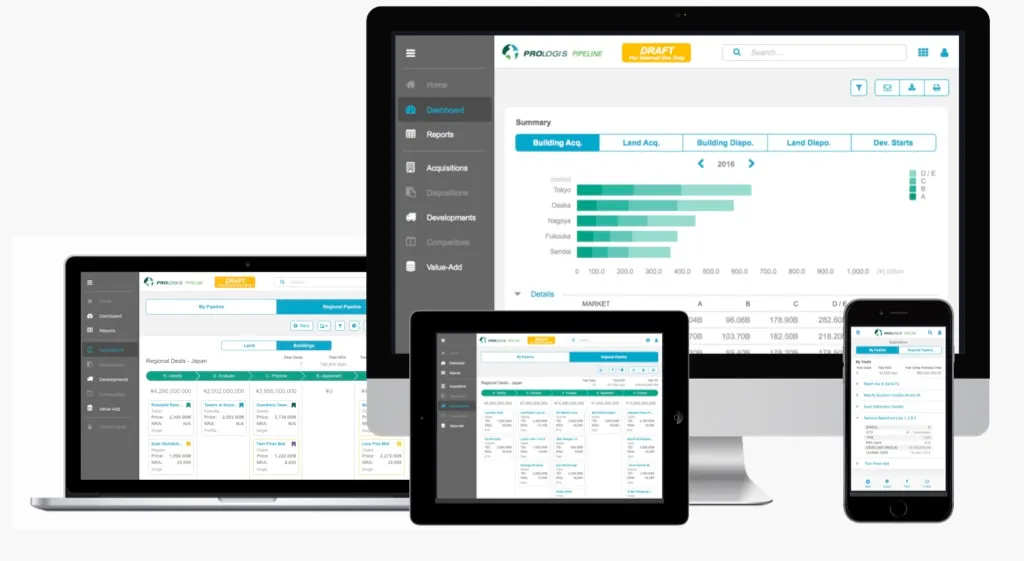
A worldwide, mobile-first industrial real estate application for tracking, buying, selling, improving, or developing land and buildings.
Client
Platform
Timeline
12 months
Design Synthesis
Project Overview
Objective
Capital Deployment refers to the decisions the company makes about where to spend money; buying, selling, improving, or developing land or buildings. The goal of the Capital Deployment Pipeline (CDP) software was to create a tool to see what stage these decisions are in and estimate cash flow.
Team
| # | Role | Description |
|---|---|---|
| 2 | Project Managers | Responsible for defining and evaluating the business needs. |
| 1 | Product Owner / Business Analyst | Defined the product vision and roadmap. |
| 1 | Project Manager | Planning and executing the project timeline. |
| 1 | Lead UX Designer | Designing the user interface and experience while maintaining consistency across the application. |
| 1 | Secondary UX Designer (Me) | Assisted the lead designer with wireframes and design reviews. |
| 1 | Internal Technical Lead | Managed the engineering teams and worked directly with the UX team to ensure all designs were technically feasible. |
| 3x5 | External Developers | Three teams of 5 developers each were brought in to build the frontend and backend components of the application. |
My Mandate
| Directive | Description |
|---|---|
| Enhance Usability | Create a mobile deal tracking tool for users out searching for land or buildings in the field. |
| Reduce Time-on-Task | Allow the deals to be recorded, seen, and acted on much faster than before, ideally reducing the time it takes to close a deal. |
| Enhance Transparency | Create transparency between all branches of the company; from the Field Officers all the way up to the CEO and top executives. |
Discovery
Initial Insights
| Method | Participants | Core Insight |
|---|---|---|
| Subject Matter Expert Interviews | 3 former Field Officers-turned-Analysts | Our initial feedback came directly from the subject matter experts, who provided a wealth of information about the current process and pain points they were facing. |
| Field Testing (iPad prototype) | 30+ PCTs | Glove-touch failure → average 300 glove swaps per shift per user. |
| Contextual Inquiries (on-site) | 30+ patients observed | Need instant vitals comparison (pre/in/post) without leaving the screen. |
| Working Sessions with Apple | Our UX team, along with three UX designers from Apple | We traveled to Cupertino, CA to work directly with Apple’s UX team to get their feedback on the project and how it could be integrated into their products. |

Problems Identified
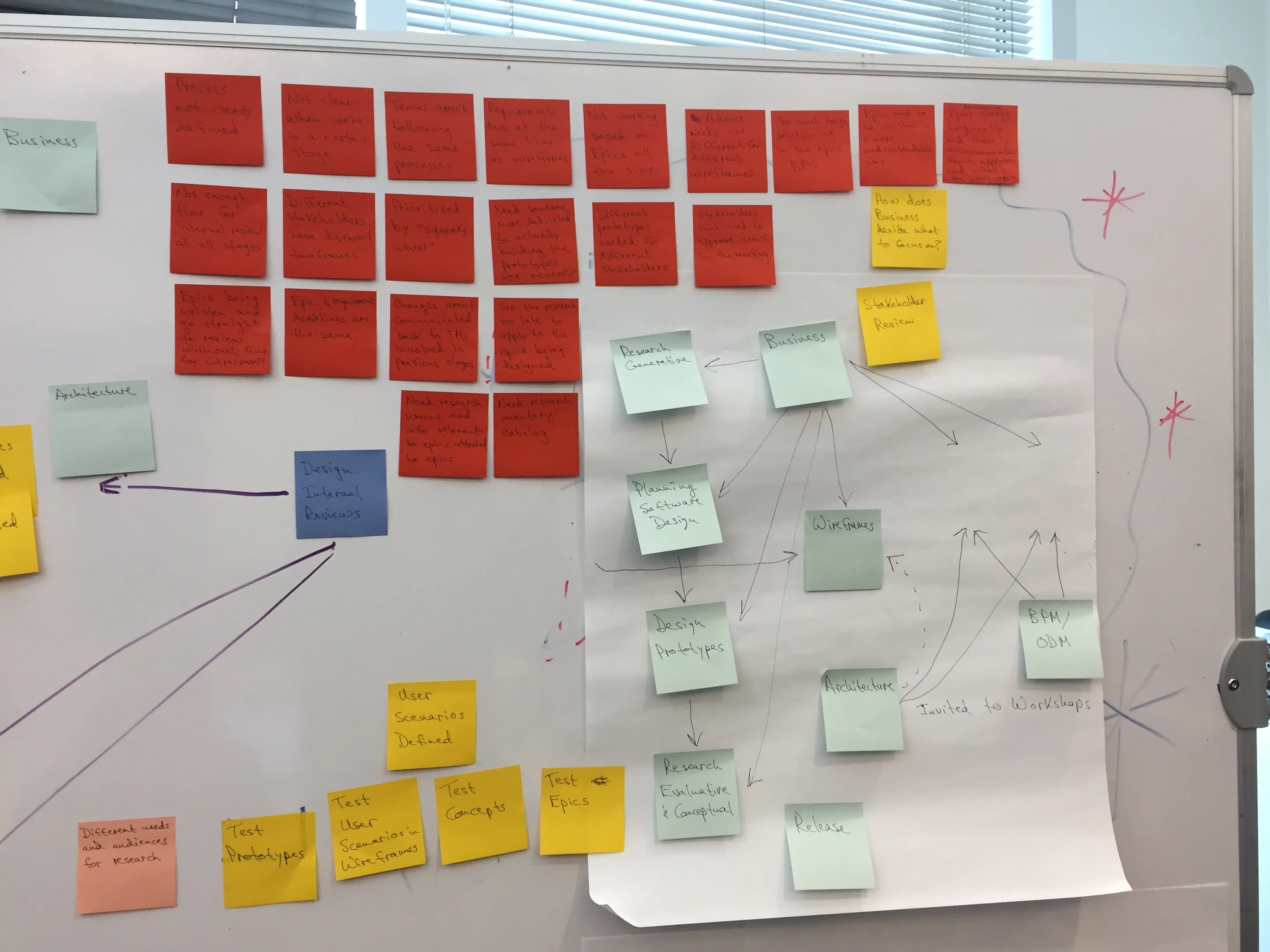
DATA INCONSISTENCY
SPEED ISSUES
LOST DEALS
"…have we seen one f***ing deals info been right yet? Why do we even spend 2 weeks rollin' the numbers up if we can't use them at all 'cause they're WRONG?!”"
— Executive, SouthWest US District
Proposed Solution
Working at a worldwide company, we had to take several additional factors into consideration during the discovery phase, such as geographic differences and government regulations. In addition, we conducted multiple ethnographic reviews and culture studies. This also meant we had to create several variations of the same prototypes based on different languages and the needs of individual regions. Based on our research, our proposal was to create a mobile-first application built around Salesforce’s Lightning design system, which also provided responsive elements for desktop and tablet, allowing the executive team easy access to review the data and make decisions in the office.
Design
Personas
| User Group | Characteristics |
|---|---|
| Field Officer | • In the field, tracking deals from their cars on pieces of paper. • Converting their notes into a spreadsheet once they return to the office. • The number of possible fields to enter data into is onerous, there are hundreds of fields on a spreadsheet, so people just made up their own fields. • The lack of a straightforward process leads to mismatched and missing information. |
| Executives | • Need more transparency on the deals from a high level. • Required real-time updates to be able to proactively solve problems or make informed decisions, often during meetings or phone calls. • Want to be able to view dashboards and generate reports to track the progress of the deals. |
Conceptual Framework
| Method | Description |
|---|---|
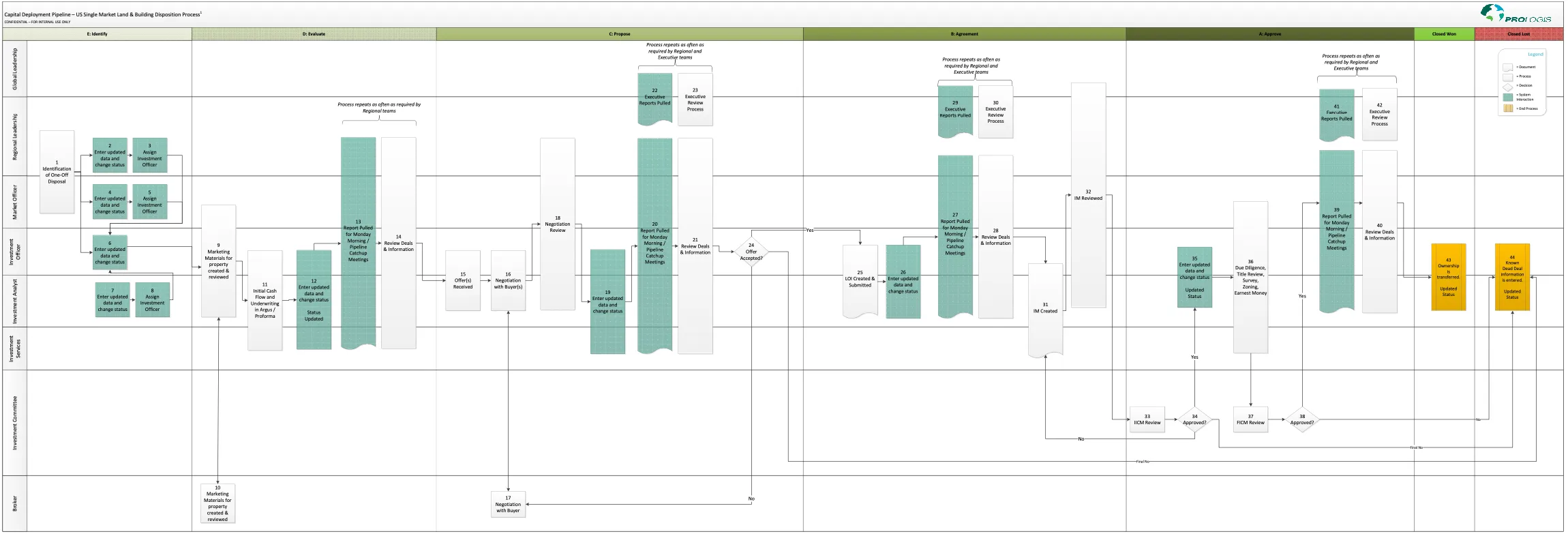
| Process Flow | Created a process flow diagram to visualize the different steps in the deal tracking process from the Field Officers to the executives. |
| Whitepapers | Wrote multiple whitepapers to help the executive and engineering teams understand the different processes and how to implement the most intuitive solution. |
| Whiteboarding | Sketched out the different concepts to help visualize the proposed components, focusing on their potential benefits and drawbacks, both from a usability and engineering perspective. |

Prototyping
| Component | Description |
|---|---|
| Mobile-First Prototype | Created a mobile-first prototype for the Capital Deployment Pipeline to be used by the Field Officers to track deals and update the data in real-time, identifying the four main data points needed for entry across all regions from a list of over 300. |
| Design System Audit | Evaluated the Salesforce Lightning Design System and created custom components where needed based on testing feedback and whitepapers to ensure the design matched the company brand and was easy to use. |
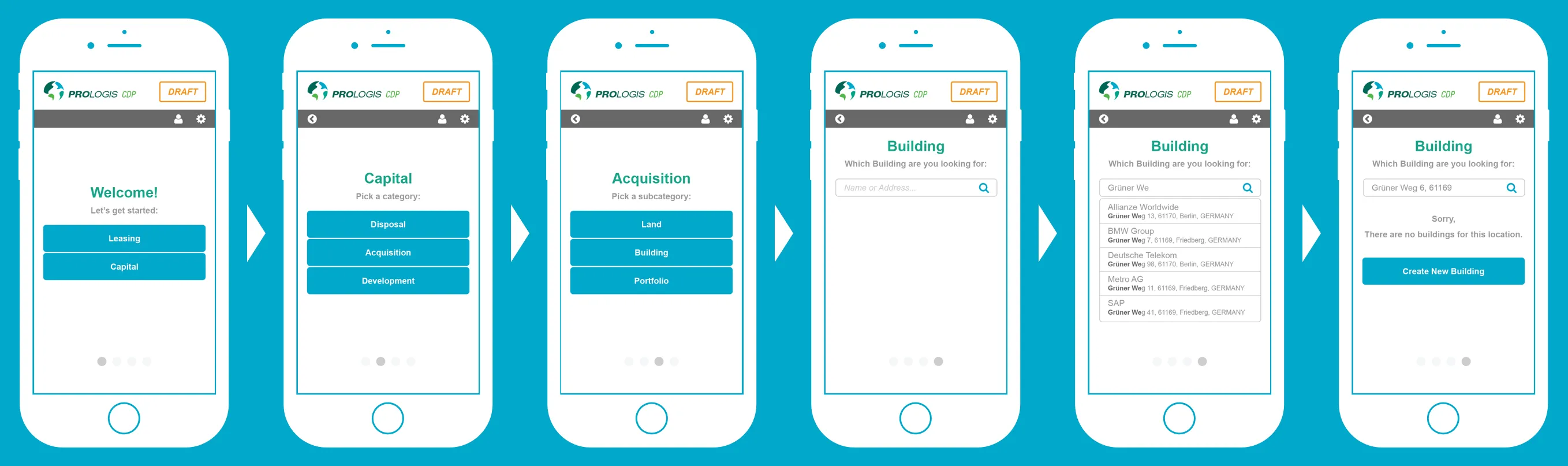
"No more writing down plot details on a napkin in my car (laughs), this should've been done years ago! Is this live yet?!"
— Field Officer, Northwest US District
Testing
Evaluation
| Method | Description |
|---|---|
| Eye Tracking | Used eye tracking software on the desktop prototype to identify the areas of the screen that were drawing attention and those that were being overlooked. |
| Ethnographic Inquiries | Conducted ethnographic inquiries with users across the world to understand how their workflows differed between countries/regions and the best way to present the data to them. Despite the company wanting to modernize and always have the most accurate information during meetings, we discovered that executives in Asia specifically found it very rude to be checking a tablet or laptop, so we added the ability to quickly print the latest reports. |
| Feedback Analysis | Analyzed the feedback from the testing sessions with the Field Officers and Executives to ensure the new design was intuitive and easy to use, gathering and presenting both quantitative and qualitative data to help guide the design decisions. |
"It's about time we actually have accurate information going into this meeting, how we made it this far is beyond me."
— Executive, Northwest US District
Iteration
| Iteration | Description |
|---|---|
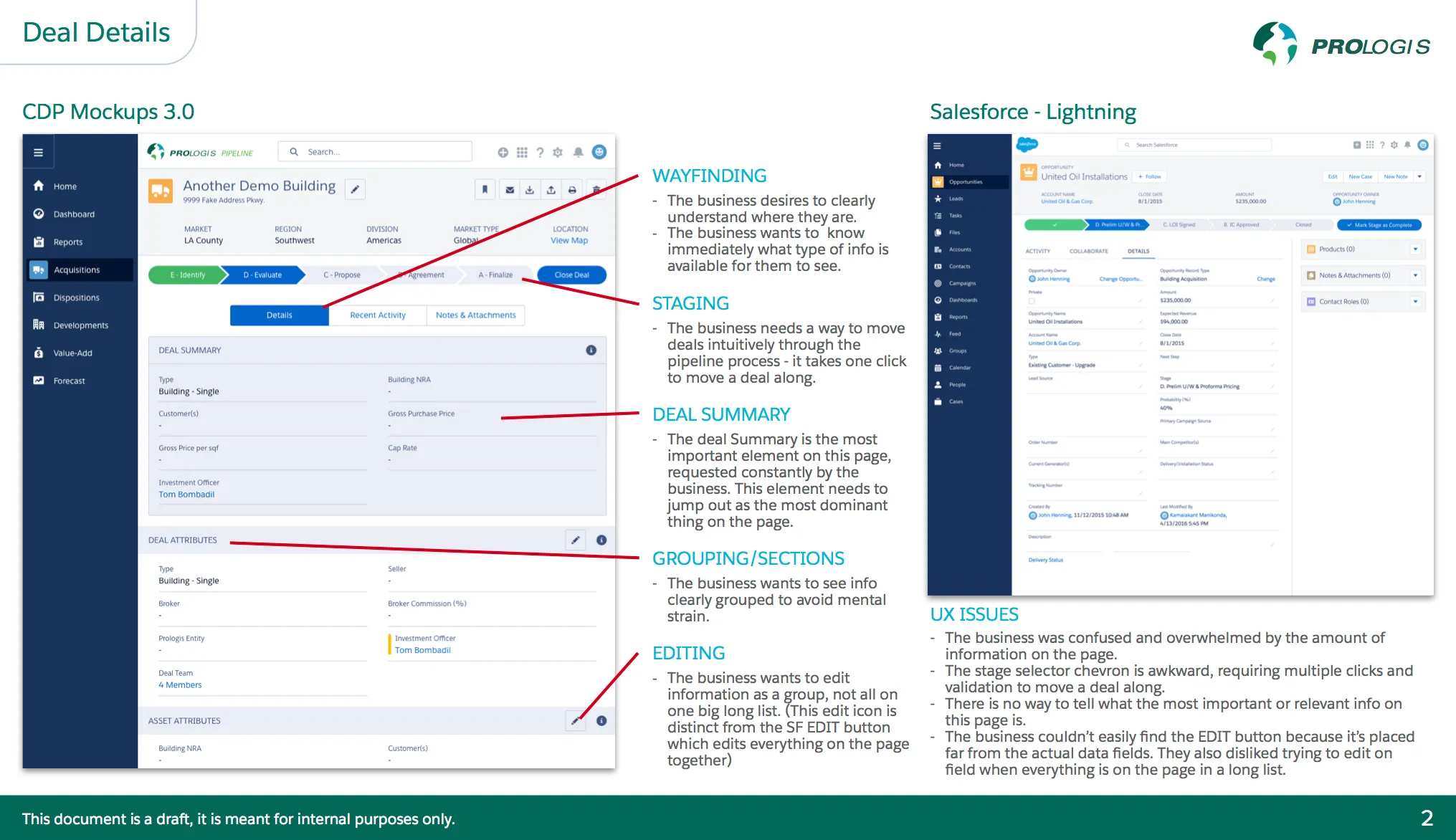
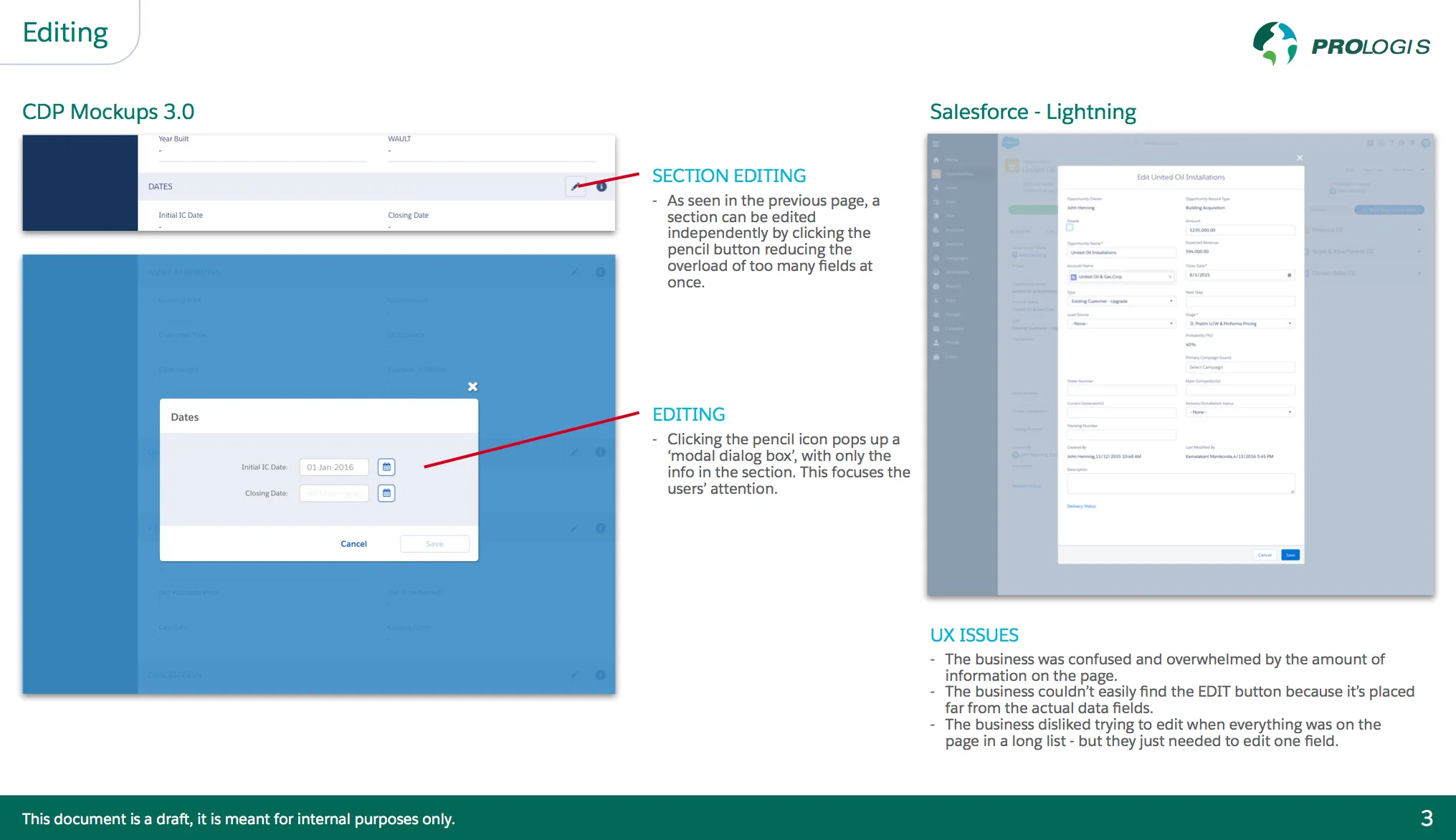
| Design System | Altered the design system to fit the company brand more and to ensure that our custom components would synchronize properly as the Lightning system updated. |
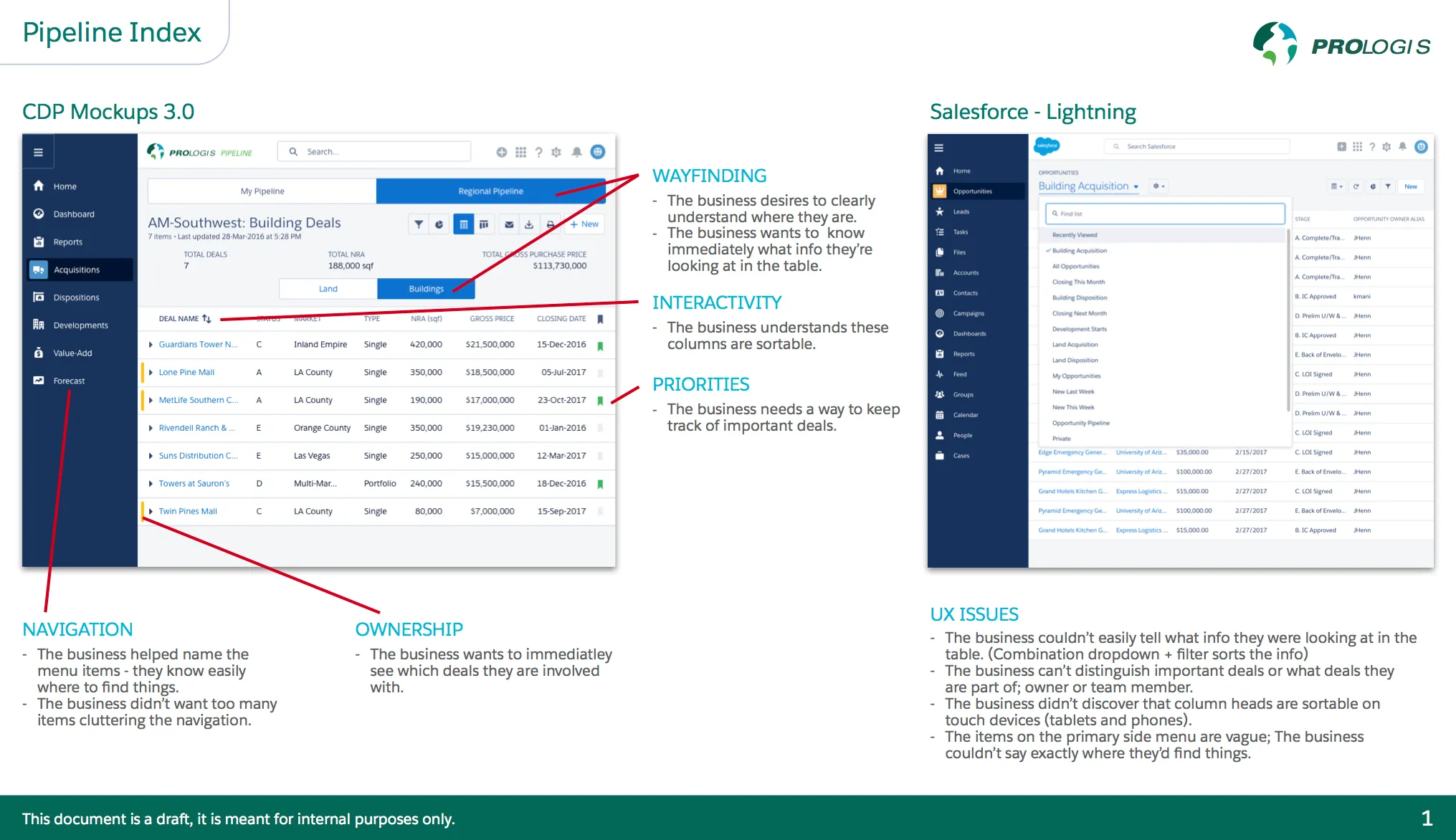
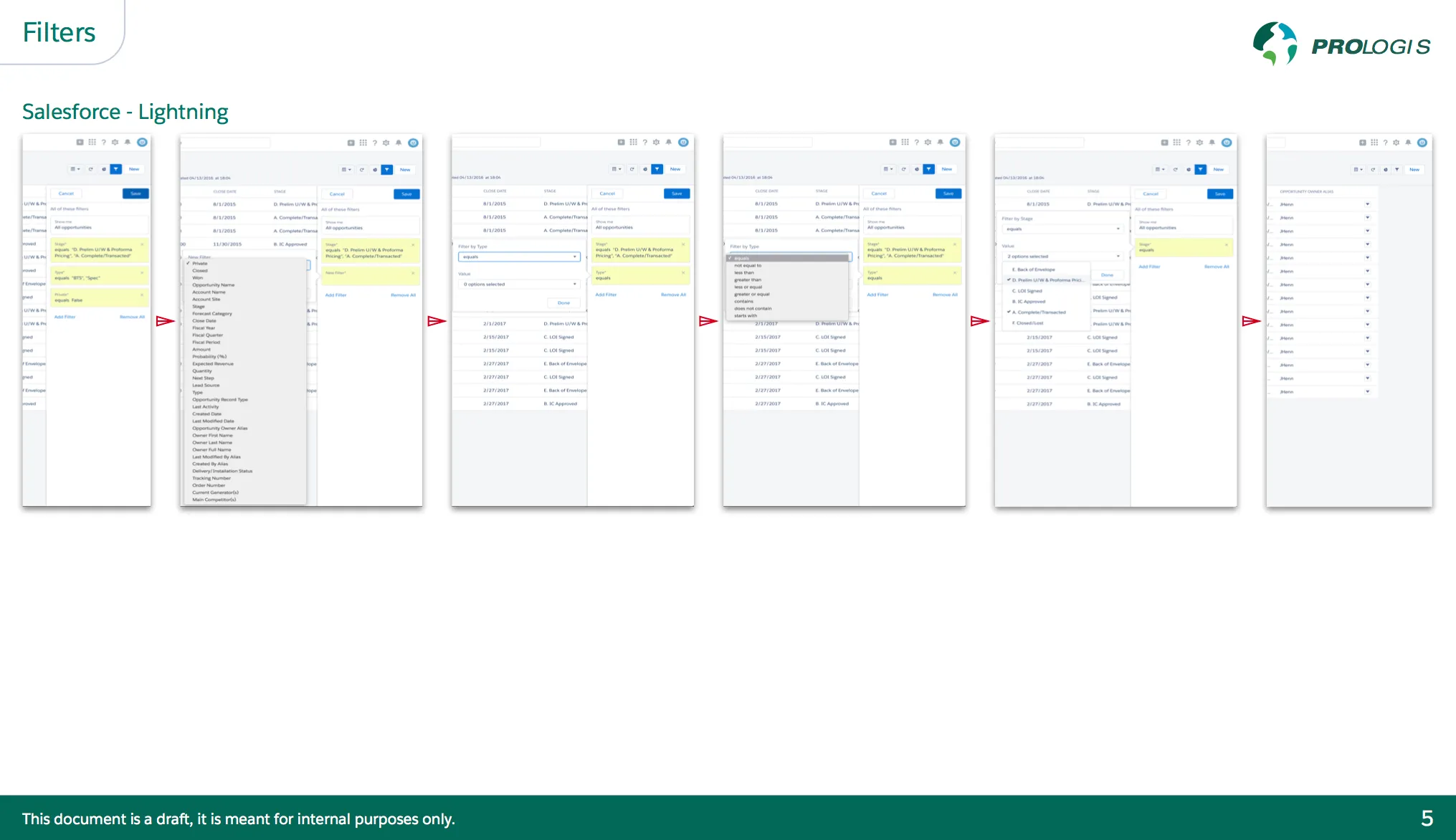
| Information Architecture | Re-evaluated the primary table structure and added the ability for users to move columns around to better suit their needs; this was especially helpful for our global offices where the data points were often completely different. |
| Graph Evaluation | We went back to the drawing board on certain graphs and charts to ensure they were easier to understand, we also added the ability to export the data to a CSV file for further analysis. |
Validation
Impact & Outcomes
We sent out multiple surveys during our evaluation period to hundreds of users across the world to evaluate the ease of use, satisfaction, and productivity of the new system. Overall, the system was extremely well received by the Field Officers and Executives alike, with the Field Officers being able to create new deals in less than a minute and the Executives being able to make decisions based on the most accurate information possible around the world.
<1 minute
Ease of Use
4.52 / 5
Overall Satisfaction
~70%
Increased Employee Productivity
4.93 / 5
Process Improvement
| Metric | Description |
|---|---|
| Ease of Use | Field Officers were able to create new deals in less than a minute from their phones while in the field. Additionally, we added an offline mode since many of these areas where new buildings were being developed didn’t have good mobile connectivity. |
| Overall Satisfaction | Field Officers and Executives provided feedback on a number of metrics specific to their satisfaction with the new system. We ended up with a 4.52 / 5 rating from hundreds of users across the world. |
| Increased Employee Productivity | The Field Officers were able to spend more time in the field and less time in the office, allowing them to visit more sites and add more deals than ever before. |
| Process Improvement | The Executives were able to make decisions based on the most accurate information possible around the world, giving us a 4.93 / 5 rating overall for our efforts. |
Reflection
Personal Growth
This was my first true UX position after graduation and I learned more in these two years than I ever could’ve imagined. I attribute a lot of my career success to my amazing Lead UX Designer, Skye Sant, who continually pushed me to explore new ideas, study some of the most innovative designers and concepts in the industry, and draft whitepapers about my research to help guide the design decisions we made. I also learned how important it is to take environmental and ethnographic factors into account when designing a product, as not every culture handles things the same way. This project gave me the confidence I needed to take on more challenging projects, and I’m forever grateful that I was a part of it.